09 The mods
Ungodly Ravenfield Enhanced
A single plugin that takes control of Ravenfield's rendering, interface scaling, field of view and frame pacing, and exposes all of it through an in-game panel and a fully commented config file.
The headline feature is a genuine fix for Ravenfield's broken ultrawide support — which currently makes a wider monitor an actively worse experience.
Download v1.0.2 Drive mirror How to install
The ultrawide fix#
This is the reason the mod exists, so it is worth understanding rather than just switching on.
Ravenfield treats your FOV slider as a fixed horizontal angle and derives the vertical angle by dividing through by your aspect ratio. That is textbook Vert− behaviour, and the consequence is brutal:
The fix is the HorizontalPlus FOV model, which is this mod's default. It anchors your
vertical angle to what a 16:9 player would see, so every extra millimetre of
monitor width becomes extra battlefield to your left and right — which is how it should have worked
all along. Open the Ultrawide tab in game and the panel shows you, live, how many degrees of
vertical view you have gained over stock.
Why it is patched where it is#
PlayerFpParent.FixedUpdate recomputes the camera's field of view from two private
fields on every physics tick. Any mod that simply writes Camera.fieldOfView
gets overwritten within a sixtieth of a second — which is why other attempts at this tend to
flicker or do nothing. This mod postfixes SetupHorizontalFov and rewrites the
underlying fields instead, which is the only injection point that survives.
Aim-down-sights magnification is deliberately left alone, because Ravenfield passes ADS zoom as an absolute vertical angle, which is already aspect-independent and therefore already correct.
What is on each tab#
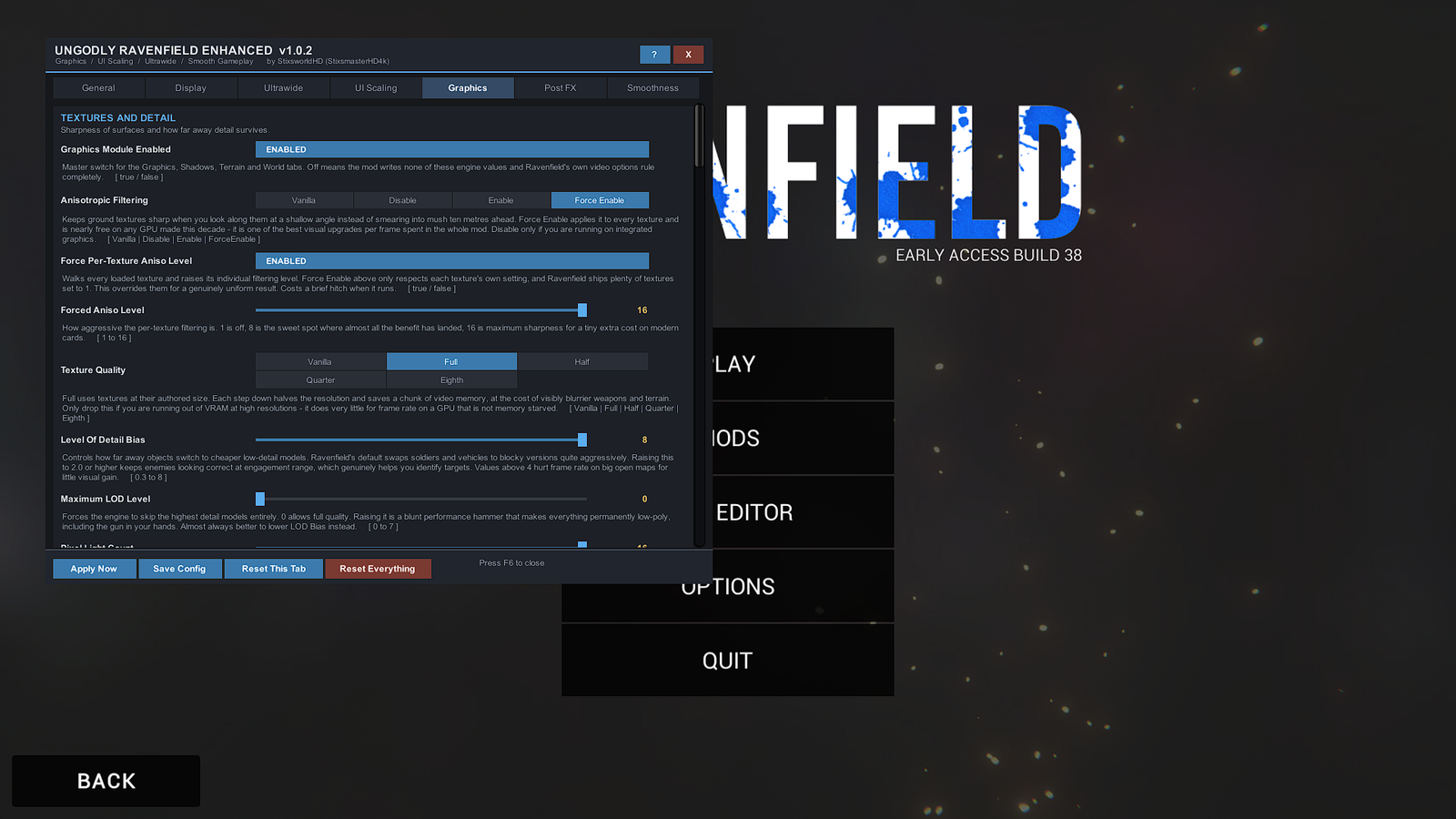
| Tab | Config section | Covers |
|---|---|---|
| General | 01 | Master switch, hotkey, panel scale and opacity, diagnostics readout |
| Display | 02 | Every detected monitor mode, window mode, supersampling, dynamic resolution |
| Ultrawide | 03 | FOV model, multiplier and offset, ADS, weapon-model FOV, third-person and vehicle FOV, aspect clamp |
| UI Scaling | 04 | Canvas scale policy, scale multiplier, reference resolution, the 1080p downgrade fix, ultrawide HUD safe zone |
| Graphics | 05–08 | Textures, LOD, anti-aliasing, shadows, terrain and vegetation, fog and ambient lighting |
| Post FX | 09 | Bloom, colour grading, ambient occlusion, vignette, grain, motion blur, depth of field, auto exposure, screen space reflections |
| Smoothness | 10 | Frame cap, vsync, queued frames, physics tick rate, garbage collector mode, mouse smoothing |
Every one of the 187 settings carries a plain-English explanation of what it does and what it costs you in gameplay terms — in the panel and in the config file alike. There are no undocumented knobs.
It finds monitor modes Ravenfield hides#
The Display tab lists every mode reported by every attached monitor, sorted widest-aspect-first, each labelled with its calculated aspect ratio:
3440 x 1440 (21:9 - 2.389) @ 144 Hz Dell AW3423DW
Unity only exposes modes for your primary display, and this Unity version has no API to
ask about the others. So on Windows the mod queries EnumDisplayDevices and
EnumDisplaySettingsEx directly, which surfaces ultrawide and high-refresh modes that
Ravenfield's own video dropdown will not show you. Unity's list is merged in as well, and your
current mode is always present.
On Linux, macOS, or if the native query fails for any reason, it falls back to Unity's list cleanly and tells you so in the panel rather than silently showing you less.
The cursor is handled through the game's own lever#
Open the panel and your cursor is released so you can click. Close it and control goes straight back to the game, with the cursor re-locked to the centre of your view and mouse-look working normally.
That is done by flipping Ravenfield's own unlockCursorRavenscriptOverride flag rather
than by fighting the game for the cursor — which matters, because
FpsActorController.UpdateMouseControl() re-applies cursor state every single frame and
would revert anything set directly on the next one. Routing through the game's own path means:
- Unity re-centres the OS pointer into the viewport itself, with correct relative-motion mapping and no drift.
- Ravenfield already blocks firing, aiming and reloading whenever the cursor is free, so you cannot shoot the menu.
- Movement is frozen too — toggleable — so you do not walk off a cliff while adjusting a slider.
The flag is re-asserted every frame while the panel is open, so dying, respawning, entering a vehicle or loading a new level mid-session cannot strand you with a broken cursor.
What changed recently#
v1.0.2 — the sky no longer warps#
In 1.0.1 the sky sheared away from the world during killcam, respawn and end of round. That was the mod's fault, and the cause is worth spelling out because it explains the fix.
Ravenfield draws its sky through BackgroundCamera, which copies the main camera's field
of view in LateUpdate. PlayerRecoilCamera then builds an
off-centre projection matrix for it, derived from exactly that field of view and
those clip planes. So once LateUpdate has run, the sky camera's projection is already
baked — and anything that changes its field of view, aspect, viewport or clip planes after that
point leaves the baked matrix disagreeing with the camera it belongs to.
The old code hooked Camera.onPreCull, which fires for every camera, and its
test for "is this a vehicle camera" was far too loose. During killcam, respawn and round end the
player controller is momentarily null — so the cached references it compared against were all null
too, and the test matched every camera in the scene at once. Which is exactly why those three
moments were the ones that broke.
1.0.2 adds a camera guard that classifies the cameras Ravenfield owns — the sky, the scenery backdrop, the underwater overlay, the minimap, anything rendering into a render texture, anything whose projection is rebuilt each frame — and refuses to write to any of them. The vehicle-camera test now requires a live player controller and an exact match against the current main camera, so it is precise rather than merely probable.
v1.0.1 — slider handles no longer sit on the text#
The panel's slider track style declared a height of 6 pixels while its handle style declared 18. IMGUI reserved each row from the track, then drew the handle from that row's top edge — so handles overflowed by 12 pixels onto the description text underneath.
Every control is now positioned into a rectangle the mod calculates itself rather than one IMGUI infers. Each row reserves 28 pixels with the control centred inside it, so a handle physically cannot reach the text below.
Two things that are not bugs#
Screen Space Reflections do nothing
Correct, and expected. SSR requires deferred rendering and Ravenfield renders forward. The control is present for custom maps and shader mods that switch rendering path, and its own description says so.
TAA can shimmer along the horizon
Temporal anti-aliasing jitters the projection matrix every frame by design. On a camera whose projection is hand-built — like the sky — that can read as a faint shimmer. Switch to SMAA if it bothers you.
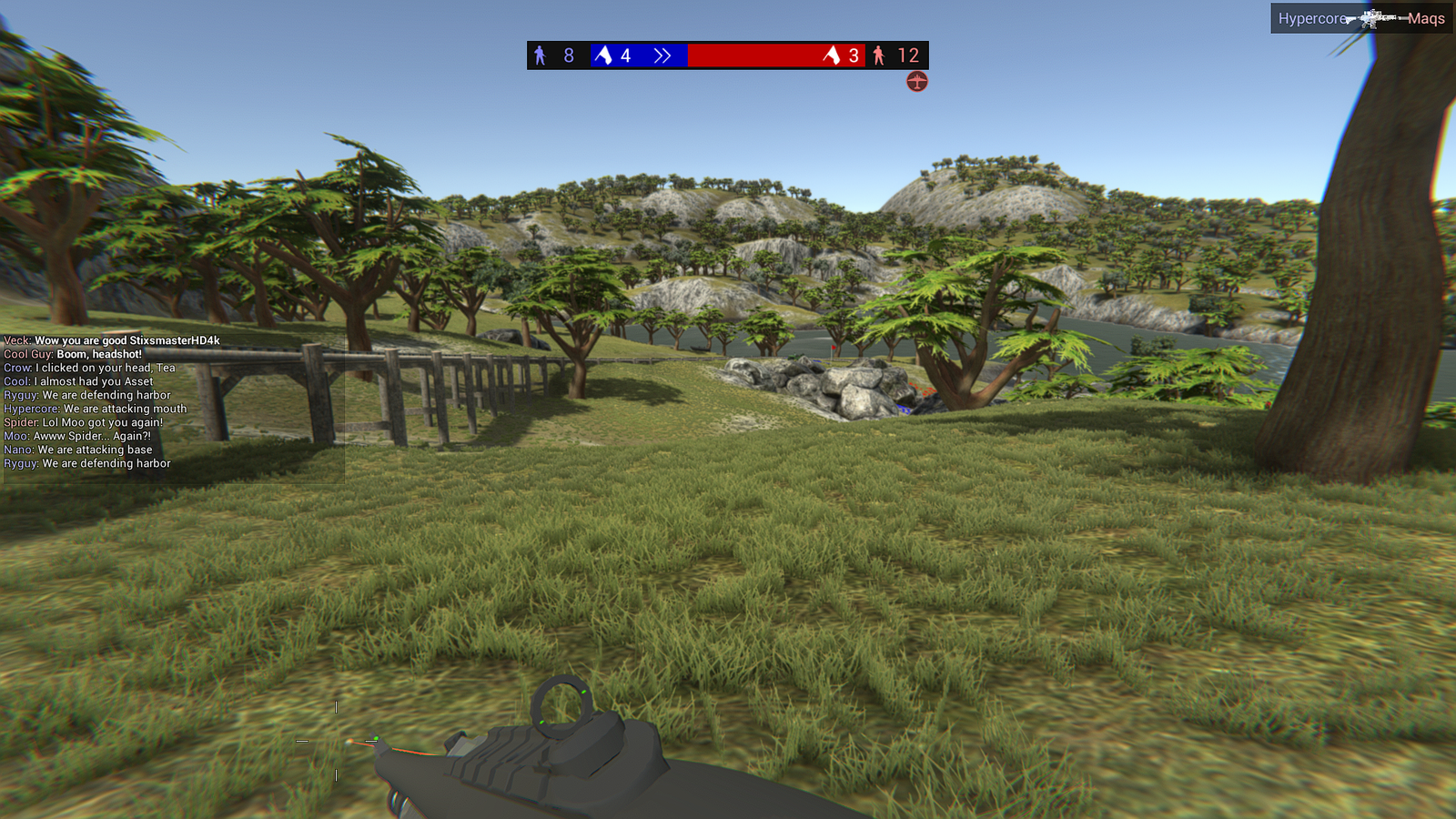
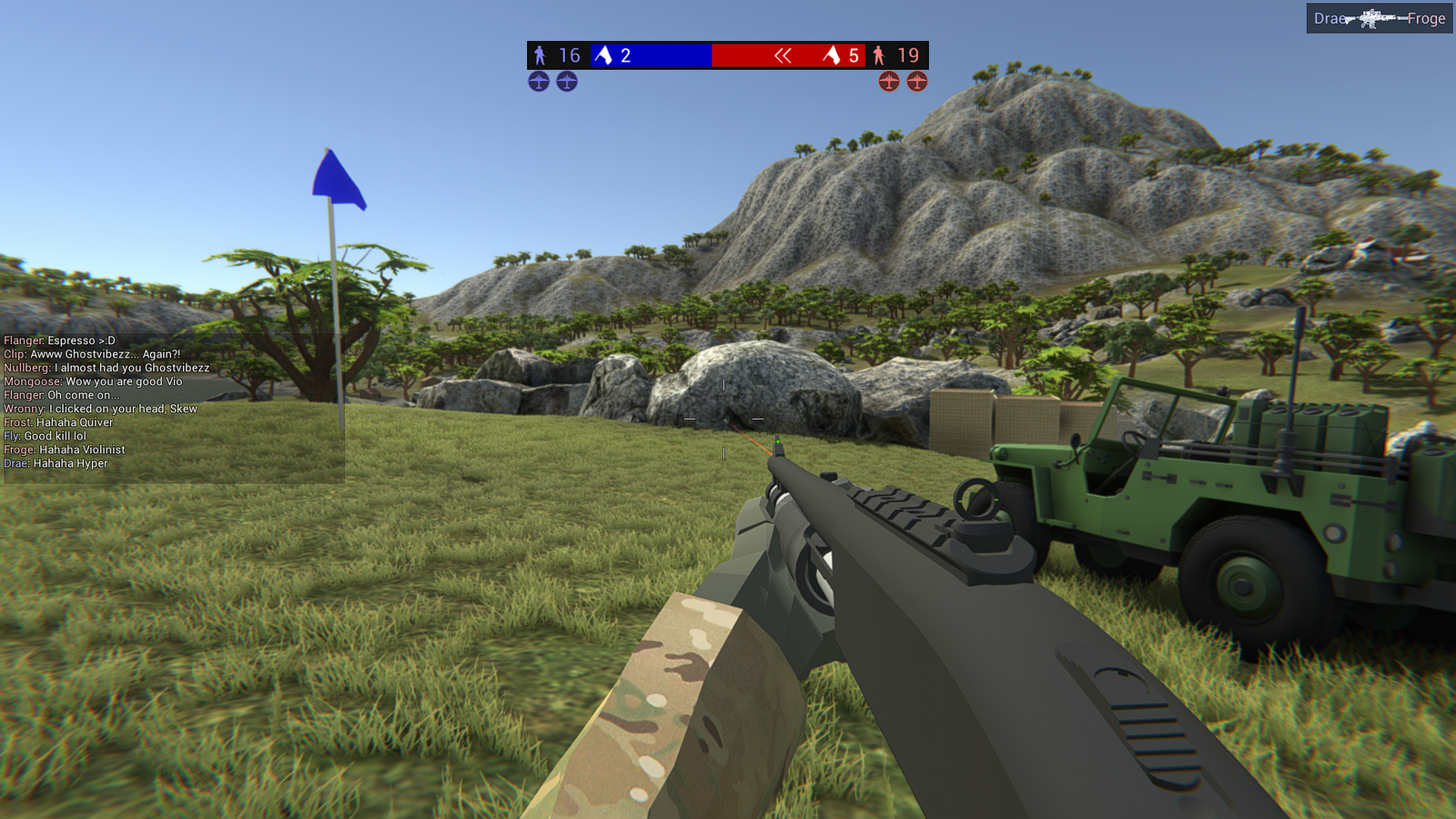
What it looks like#
- Requires
- BepInEx 5.4.x, x64, Mono. Nothing else.
- Built against
- Ravenfield's decompiled
Assembly-CSharpfor Unity 2020.3 LTS, built-in render pipeline with Post Processing Stack v2. - Compatible
- Fully, with both other Ungodly Ravenfield mods. No shared patch targets.
- Uninstall
- Delete
BepInEx\plugins\UngodlyRavenfieldEnhanced.dll. No game file is ever modified.