Play Ravenfield online with RaveM
BepInEx 5.4.23.5 x64 RaveM 1.7.1 Steam P2P or LAN Up to 250 players Bots run by the host Killcams
Four checks stand between a normal Steam copy of Ravenfield and a working ONLINE tile. A RaveM lobby can wait until every player is READY; this board works the same way. Each check links to the step that covers it.
Install checks
- BepInEx 5 (x64) runs BepInEx\LogOutput.log exists after one launch
- RaveM 1.7.1 downloaded Archive extracted to its own folder
- RaveM DLLs in BepInEx\plugins README.md stays out of plugins
- ONLINE tile shows in PLAY Top right reads RaveM 1.7.1
READY 0/4
Work through the four steps in order. Each one ends with something you can see for yourself.
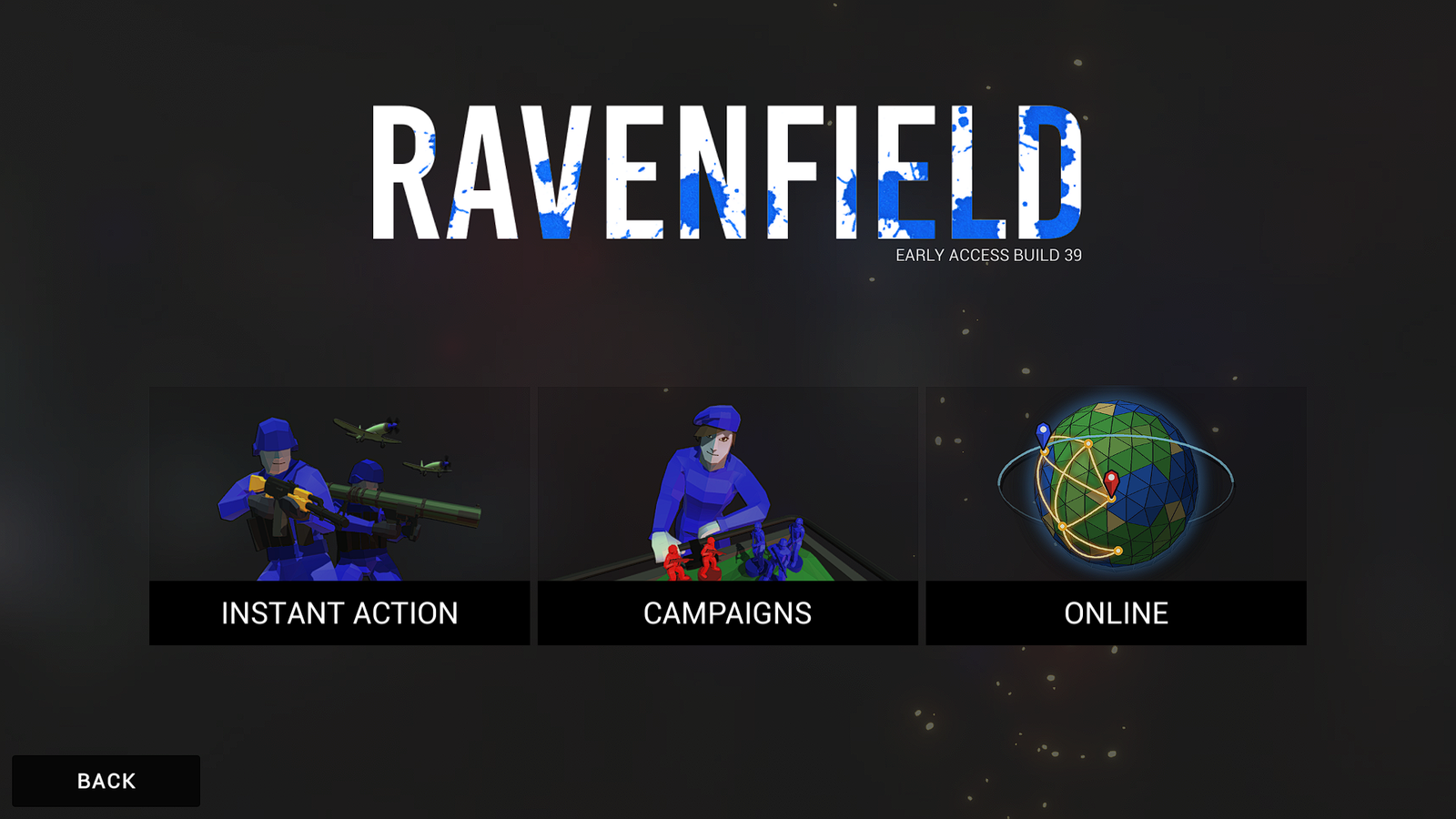 (opens the full-size 1920 by 1080 image)
What you're installing
RaveM is a plugin, and Ravenfield can't load plugins by itself, so the install has two layers. Neither one edits Ravenfield's own files.
BepInEx 5 (x64), the loader
A small file, winhttp.dll, sits next to ravenfield.exe. Windows loads it when the game starts,
it hands over to BepInEx through Unity Doorstop 4.5.0, and BepInEx then loads every plugin it finds in BepInEx\plugins.
RaveM 1.7.1, the online mode
Eleven DLLs: RaveM.dll plus the libraries it's built on. Together they add the ONLINE tile with a server browser,
hosting, a lobby with READY checks, Steam P2P and LAN matches with bots, joining matches in progress, map cycles, map and mode voting,
killcams, proximity voice chat and a Workshop window for maps and mods you're missing.
What happens behind the menus, from hit checks and ballistics to anti-cheat, voice chat and every setting, is on the Features page.
What you need
| You need | Details |
|---|---|
| Ravenfield on Steam, for Windows | The 64-bit Windows game (Unity 2020.3.49f1, Mono). The screenshots here show Early Access Build 39. Ravenfield on Steam |
| Steam, running | Start Steam before the game. Online play needs you signed in, because RaveM uses Steam for lobbies, P2P networking, voice and invites. LAN games need the Steam client running too, but offline mode is enough. |
| BepInEx 5.4.23.5 for Windows x64 | BepInEx_win_x64_5.4.23.5.zip, 639,118 bytes, from the official BepInEx GitHub.
Step 1 |
| RaveM 1.7.1 | RaveM_v1.7.1.rar, 1,159,606 bytes, from my Google Drive mirror or this website.
Step 2 |
| Something that opens .rar files | Windows 11 (version 23H2 or newer) opens them in File Explorer. On Windows 10, use 7-Zip or WinRAR. |
| Friends on RaveM 1.7.x | Everyone in a lobby needs RaveM 1.7.1 (network protocol 8). Everyone also needs the lobby's map and any weapon or vehicle mods the host runs; RaveM helps you get them. |
What a finished install looks like
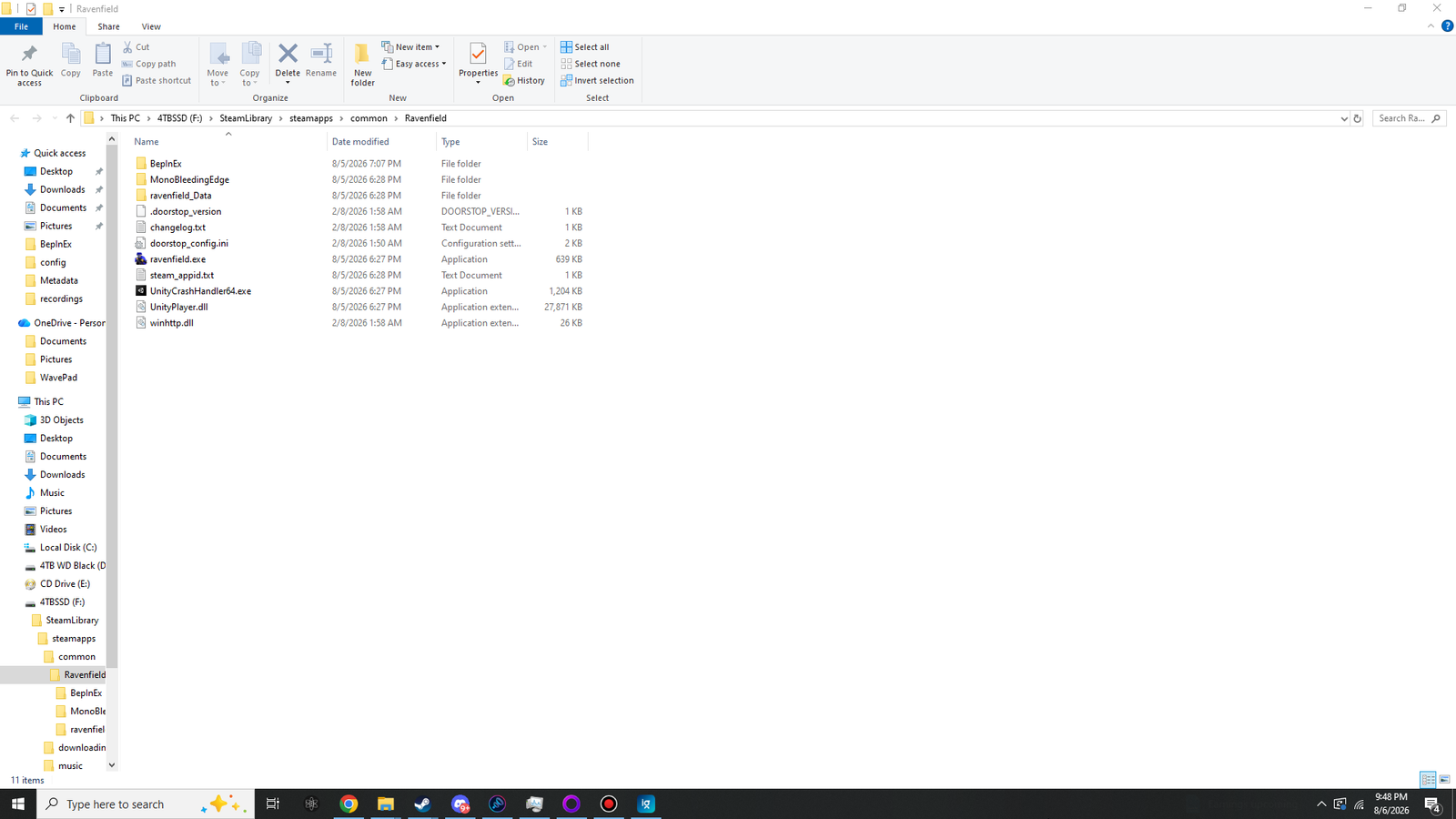
This is the folder layout of a working install, checked on 2 October 2026. Every item is tagged with where it comes from.
- Ravenfield\the game folder, for example F:\SteamLibrary\steamapps\common\Ravenfield
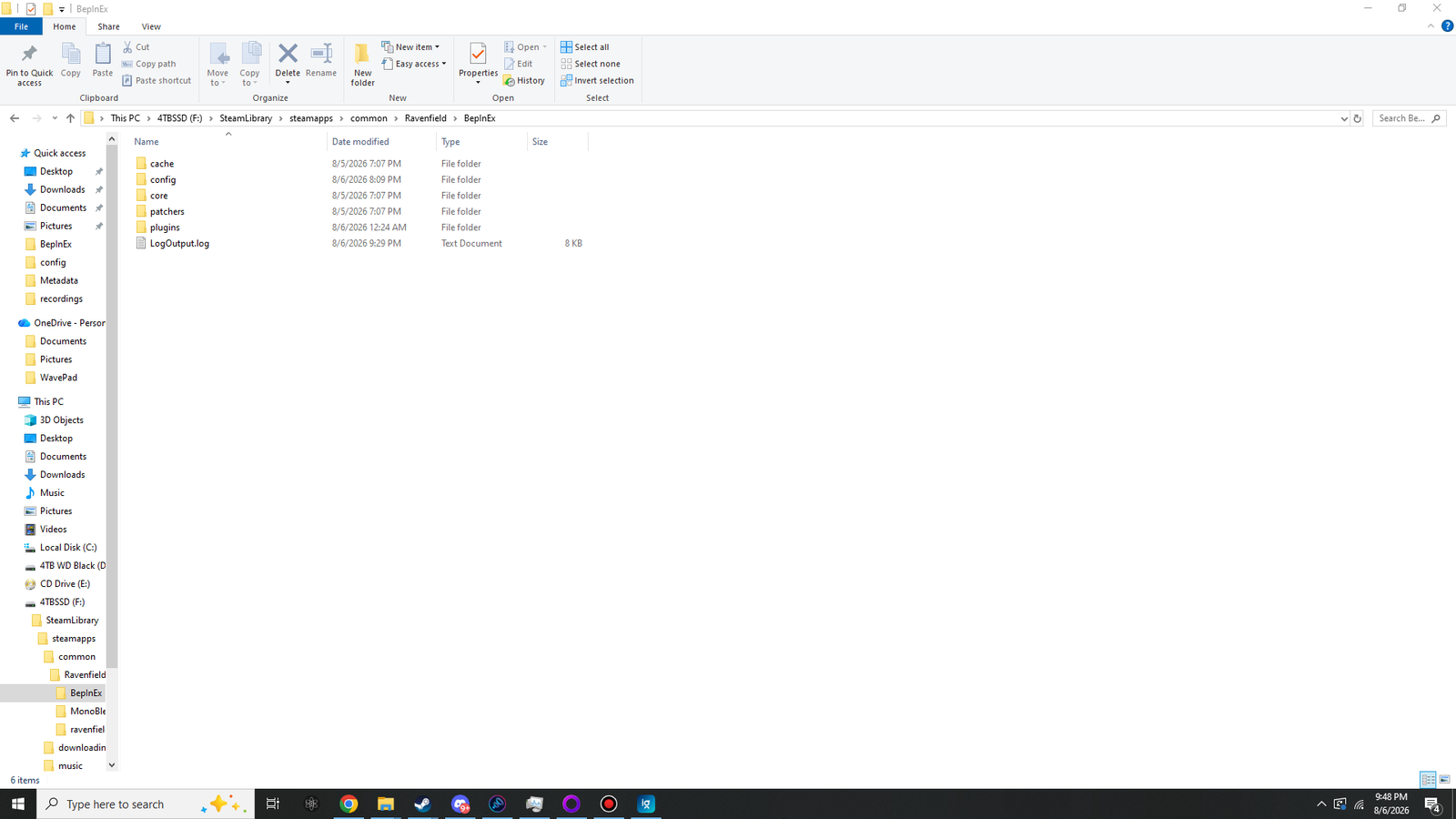
- BepInEx\BepInEx zip
- cache\first launch
- config\first launch
- BepInEx.cfgfirst launch
- com.stixsworldhd.ravem.cfgcreated by RaveMall 157 RaveM settings
- core\BepInEx zip22 files
- patchers\first launch
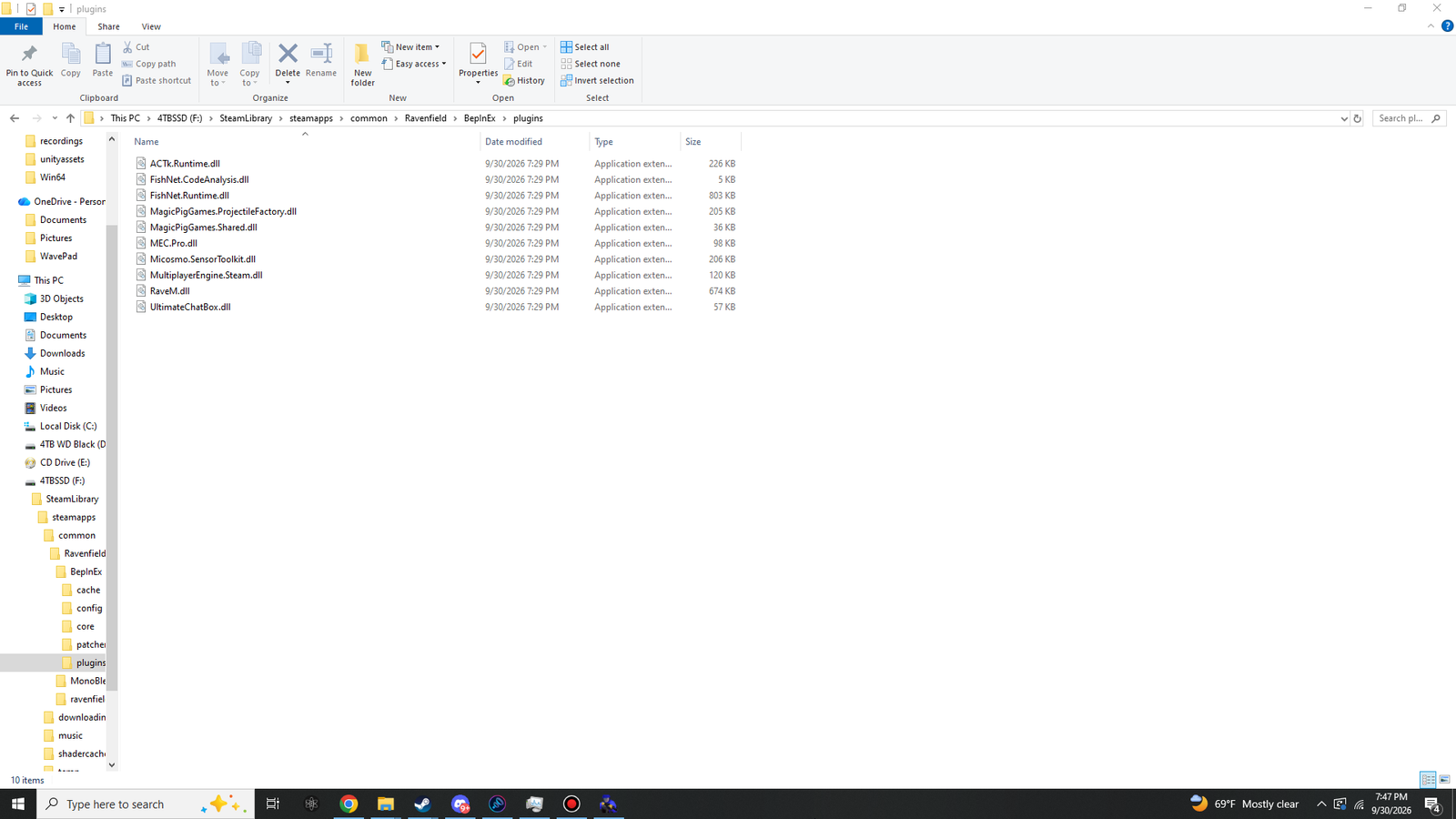
- plugins\first launch
- ACTk.Runtime.dllRaveM archive226 KB
- FishNet.CodeAnalysis.dllRaveM archive5 KB
- FishNet.Runtime.dllRaveM archive803 KB
- MagicPigGames.ProjectileFactory.dllRaveM archive205 KB
- MagicPigGames.Shared.dllRaveM archive36 KB
- MEC.Pro.dllRaveM archive98 KB
- Micosmo.SensorToolkit.dllRaveM archive206 KB
- MultiplayerEngine.Steam.dllRaveM archive120 KB
- RaveM.dllRaveM archive765 KB
- UltimateChatBox.dllRaveM archive57 KB
- UltimateReplay.dllRaveM archive239 KB
- LogOutput.logfirst launchrewritten on every start
- MonoBleedingEdge\Ravenfield
- ravenfield_Data\Ravenfield
- .doorstop_versionBepInEx zip
- changelog.txtBepInEx zip
- doorstop_config.iniBepInEx zip
- ravenfield.exeRavenfield
- steam_appid.txtRavenfield
- UnityCrashHandler64.exeRavenfield
- UnityPlayer.dllRavenfield
- winhttp.dllBepInEx zipthe loader: must sit right next to ravenfield.exe
- BepInEx\BepInEx zip
Ravenfield BepInEx zip first launch RaveM archive created by RaveM
"Ravenfield" means the item was already in the game folder. "First launch" means BepInEx created it the first time the game started. RaveM's DLL sizes are shown as File Explorer displays them.
The four folders as File Explorer shows them. Every screenshot on this site is resized to fit the page; click one to open the original at full size (1920 × 1080), then drag to look around.
 (opens the full-size 1920 by 1080 image)
 (opens the full-size 1920 by 1080 image)
 (opens the full-size 1920 by 1080 image)
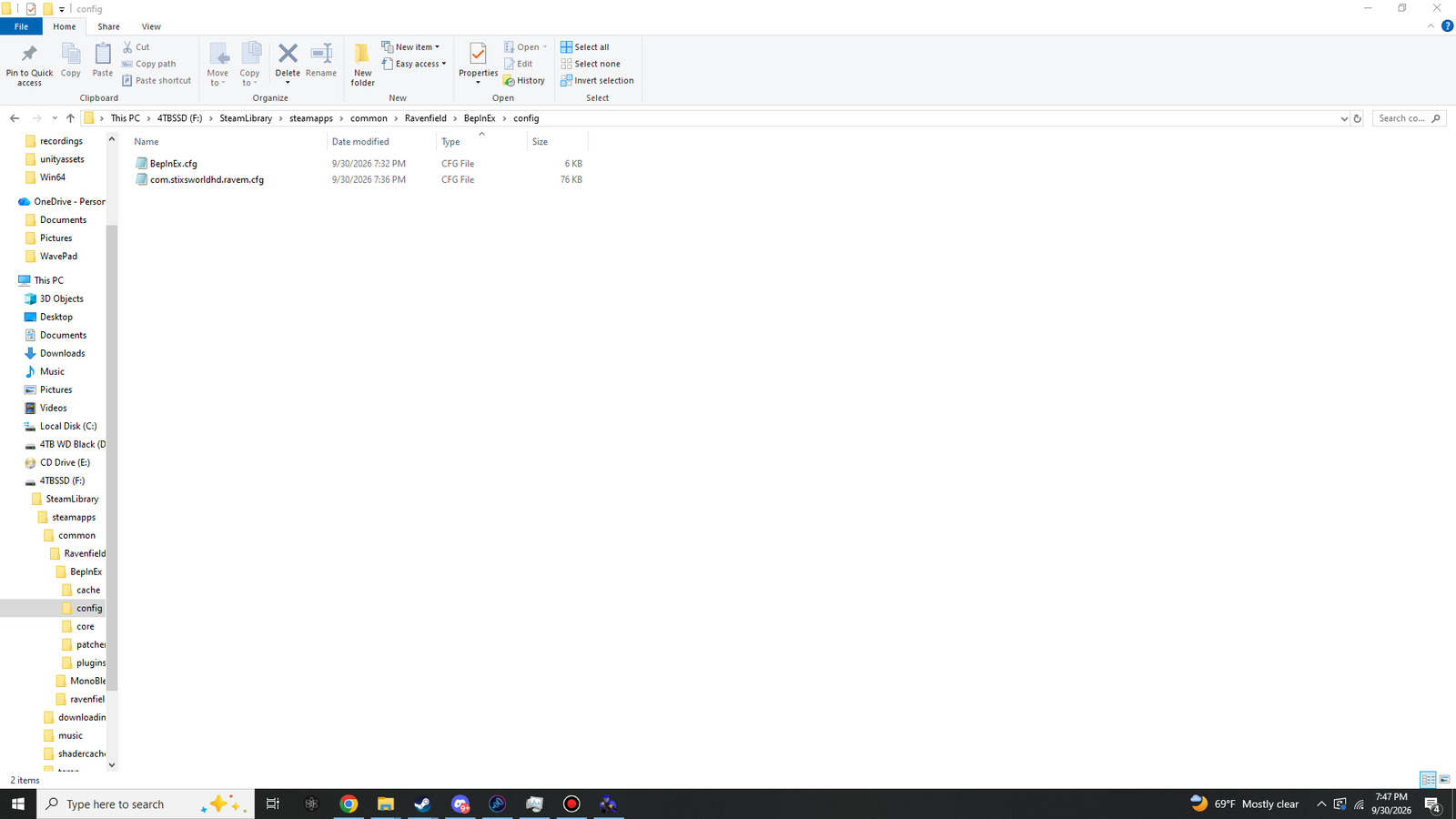 (opens the full-size 1920 by 1080 image)
The screenshot was taken with RaveM 1.5.2, so File Explorer shows RaveM.dll as 674 KB there; in 1.7.1 it is 765 KB. 1.7.1 also adds UltimateReplay.dll (239 KB), which the screenshot doesn't show. The other nine DLLs are byte-for-byte the same in both versions.
The four steps
Install BepInEx 5 (x64)
Pick the right zip, copy five items next toravenfield.exe, start the game once and read one log file.Download RaveM 1.7.1
Get the archive from my Google Drive mirror or this website, check its SHA-256 if you like, and extract it to its own folder.Install RaveM
Copy the eleven DLLs intoBepInEx\plugins, start the game with Steam running and find the ONLINE tile.Play online
A tour of the server browser, hosting, the lobby, voting, voice chat and every default key.
Stuck somewhere? Fixes & FAQ goes through what to check, in order.